From WhatsApp to Salesforce: Conversational Capture for CRM Data Entry
Turning a WhatsApp message or voice note into a clean CRM record is easy to demo and hard to make reliable. Here's the pipeline we run in production, stage by stage, including where it breaks and how we fix it.

Jul 12, 2026
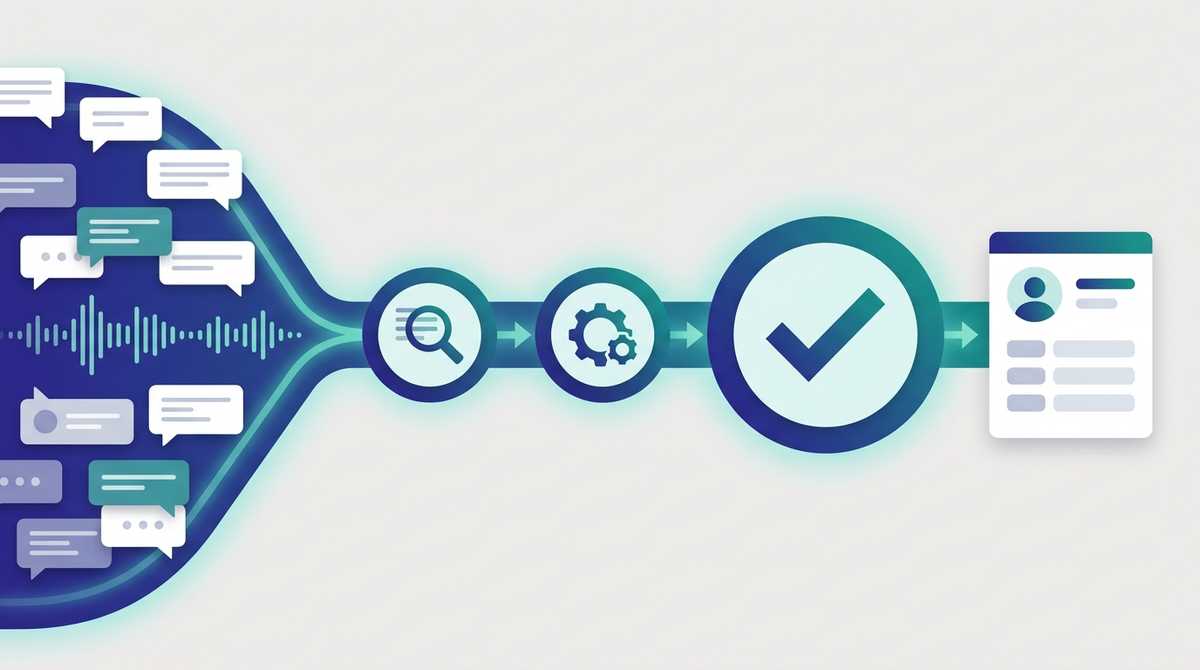
Turning a WhatsApp message into a CRM update demos beautifully and breaks quietly once it's in production. The demo reads one clean message and writes one clean record. Production gets voice notes with background noise, half-finished sentences, typo'd company names, and disjointed topic changes, which it then writes to the CRM that's supposed to be the source of truth. One misread, and you quietly, insidiously poison it.
This is the reference architecture we run for conversational data capture: the path from an inbound message to a clean CRM write, and the details that separate a demo from a reliable system.
The pipeline at a glance
WhatsApp / Telegram
      │  inbound webhook
      ▼
Message normalization        → one internal message shape, any platform
      │
      ▼
Media preprocessing          → voice note: ffmpeg → Whisper transcription
      │
      ▼
Classifier (reason + extract)→ fill a typed schema: contact, deal, stage, follow-up
      │
      ▼
MCP tool call (dry-run)      → "what would change?", never a direct write
      │
      ▼
Human confirm (one tap)      → the commit gate
      │
      ▼
CRM write via MCP            → Salesforce / HubSpot / Pipedrive / your own
Each stage has a single responsibility, and the boundaries between them are where reliability is won or lost.
What happens at each stage?
- Inbound webhook. WhatsApp (via the Meta Cloud API) and Telegram post messages to a webhook. Different platforms, different payloads.
- Normalization. Every platform's payload is mapped to one internal message shape, so nothing downstream needs to know whether a message came from WhatsApp or Telegram.
- Media preprocessing. Text passes straight through. A voice note is converted with ffmpeg and transcribed through a Whisper service before anything tries to interpret it. Whisper is tuned to handle silences, ambient noise, and different input types (a recording made during a meeting versus a debrief afterward).
- Classifier. Our system uses several LLM agents to read the text and fill a typed schema aligned with your CRM's real objects — which contact, which deal, which stage, what follow-up. Internal QA loops catch inconsistencies and propose the right fix, and the sender's identity is validated first so the system only ever sees the accounts that person may touch.
- MCP tool call, dry-run. The write is proposed through a typed MCP tool, in dry-run mode, returning exactly what would change.
- Human confirm. The rep sees a plain-language preview and taps Confirm. That tap is the only thing that commits.
- CRM write. Only after confirmation does the MCP layer perform the real write.
Where does it break, and what do you do about it?
The hard parts aren't the happy path — they're the weak points at each link.
- Transcription errors. Whisper mishears names and numbers, especially in noise or mixed languages. The fix isn't a perfect transcript; it's the confirm step, which surfaces the misheard value where a human catches it in a glance.
- Ambiguous intent. "Bump the deal" — which one, which stage? The classifier doesn't have the full context: it can look things up and propose, but it hits its limits fast. It offers a few options before writing anything. Worst case, it's a draft to correct, with no data corruption in the CRM.
- Ordering and corrections. "Forty grand — actually forty-five" must land in order. Messages in one conversation are committed sequentially, so a correction always lands after the thing it corrects. It sounds obvious, but correction messages are often shorter than the original and transcribe faster, so you have to force the ordering to stop the shorter message from being interpreted before the one it corrects.
- Duplicates. A double tap, a network retry, a re-sent webhook — idempotency keys make sure the same update can't create two records.
None of these are glamorous, but together they make the difference between a demo and something a sales org runs its pipeline through.
Why is MCP the write path?
Because a system of record deserves a typed, scoped, auditable door — not an LLM with database access. Routing every write through MCP tools means a write can only take a shape the CRM accepts and validates, every call is scoped to the sender's organization, and dry-run-then-confirm is built in. The model proposes; MCP is the only thing that writes; the human authorizes. That's what lets you move confidently from a sandbox to real data in Salesforce.
This is the same engine behind filling a CRM from the field — the architecture just makes explicit why each stage is there.
The point
Conversational data capture isn't an AI problem; it's a reliability problem with an AI step in the middle. Get normalization, transcription, scoped extraction, confirmation, and idempotent writes right, and the AI part becomes the easy bit.
This architecture is what powers Voice to CRM, our productized version of it.
We build conversational capture pipelines on the CRMs and ERPs teams already run, and we run MCP servers as a service as the write layer. If you want this on your stack, let's talk.